
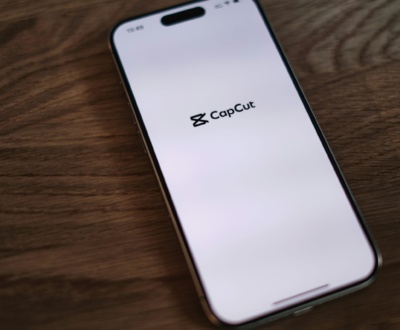
 1. CapCut (Android & iOS)
CapCut is the most popular free video editing app in 2025.
key features:
No watermark in free version
AI background remover & auto captions
Trending filters, transitions, trending effects
Best For: Creators making short-form content like Reels, Short
2. InShot (Android & iOS)
A beginner-friendly app with easy tools.
Key Features:
Trim, cut, merge videos
Add music, text, stickers
Export in HD without watermark (free)
Best For: Social media creators and vloggers.
( top-10-free-video-editing-apps-for-android-ios-2025 )
3. VN Video Editor (Android & iOS)
Completely free and watermark-free.
Key Features:
Multi-layer editing
Professional transitions & filters
Subtitle & keyframe animations
Best For: Creators who want pro editing without paying.
4. KineMaster (Android & iOS)
One of the most powerful mobile editors.
Key Features:
Multi-layer timeline editing
Chroma key (green screen)
Special effects & blending modes
Best For: YouTubers and content creators.
5. iMovie (iOS)
Apple’s free editor for iPhone & iPad users.
Key Features:
Ready-made templates
Cinematic filters & transitions
Smooth integration with MacBook editing
Best For: iOS users who want simple yet professional results.
6. PowerDirector (Android & iOS)
A free editor with professional tools.
Key Features:
4K video export
Slow-motion & stabilization
Voice-over recording
Best For: Semi-professionals and vlog creators.
7. FilmoraGo (Android & iOS)
A free version of Wondershare Filmora.
Key Features:
Trendy themes & effects
AI-powered editing
Easy social media exports
Best For: Beginners who wants to make trending videos.
8. Splice (Android & iOS)
Created by GoPro, focused on travel & action content.
Key Features:
Music syncing with video
Transitions & overlays
Simple drag-and-drop editing
Best For: Travel vloggers & adventure lovers.
9. LightCut (Android & iOS)
A free app with AI editing tools.
Key Features:
Auto video creation with AI
4K support
Templates for vlogs & reels
Best For: Quick edits with minimal effort.
10. Quik (by GoPro) (Android & iOS)
Perfect for GoPro users and beginners.
Key Features:
Simple interface
Auto video sync with music
Ready-to-use templates
Best For: Beginners who want fast and fun edits. ( top-10-free-video-editing-apps-for-android-ios-2025 )
additionally check it out other post - how to add subtitles.
More from our blog
See all posts


Recent Posts
- How to Add Subtitles and Captions Easily in Your Videos October 14, 2025
- comparison between After Effect and Premiere Pro September 1, 2025
- Slow Motion Video Editing August 28, 2025