


Editing Mistakes That Every Beginner Should Avoid
When students start learning video editing, they often get too excited and want to add everything—effects, transitions, music, filters, and more. But editing is not just about adding things; it’s about telling a story in a clear and simple way. Many beginners make common mistakes that can ruin their videos. Let’s go through some editing mistakes every beginner should avoid.
1. Using Too Many Effects
At first, it feels fun to use every filter, transition, or animation available. But if you use too many, your video looks messy and unprofessional. Keep effects simple and only use them when they add meaning to the video. For example, a fade-in at the beginning and fade-out at the end is enough.
2. Ignoring the Storyline
Editing is not just about cutting clips; it’s about creating a flow. Beginners often forget to focus on the story. If your video has no beginning, middle, and end, the audience will lose interest. Before editing, plan what you want to show.
3. Poor Audio Quality
A video can look good, but if the sound is bad, people will stop watching. Beginners sometimes use background music too loud, which makes it hard to hear voices. Always balance the audio. Dialogue should be clear, and music should support, not overpower.
4. Overusing Text and Stickers
Adding text and stickers can make videos fun, but too much can distract viewers. Keep text short and only use it to highlight important points. Make sure the font is readable and stays on screen long enough.
5. Not Cutting Extra Footage
Many beginners keep long, boring parts in their videos. Viewers don’t like waiting. Trim unnecessary clips and keep only the best parts. A short and sharp video is better than a long one full of extra footage.
6. Wrong Choice of Music
Sometimes students use trendy music that doesn’t match the video. For example, sad music in a happy travel vlog feels odd. Always choose music that matches the mood of your video.
7. Forgetting Color Correction
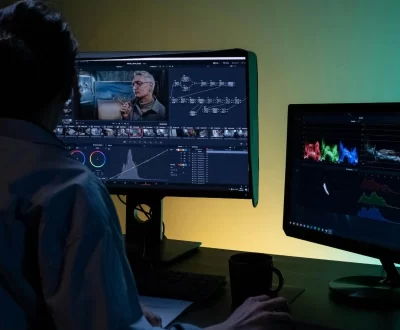
Raw video clips often look dull. Beginners skip color correction, which makes the video less attractive. Basic adjustments like brightness, contrast, and saturation can make your video look more professional.
8. Not Saving Projects Properly
One common mistake is not saving files or projects in the right format. Beginners may lose hours of work if the project crashes. Always save your work regularly and export videos in the correct format (like MP4 for sharing online).
9. Rushing the Editing
Editing takes patience. Beginners often want to finish quickly, so they don’t polish the video properly. Take your time to review and refine. Watch your video two or three times before finalizing.
Conclusion
Editing is a skill that improves with practice. By avoiding these mistakes—like overusing effects, ignoring audio, or rushing—you can make your videos look clean, engaging, and professional. Start simple, focus on the story, and slowly improve your skills.
More from our blog
See all posts


Recent Posts
- How to Add Subtitles and Captions Easily in Your Videos October 14, 2025
- comparison between After Effect and Premiere Pro September 1, 2025
- Slow Motion Video Editing August 28, 2025