

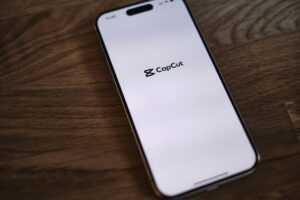
Steps to Download Capcut in Mobile/PC:-
- Go into Google Chrome and search for the CAPCUT APK.
- Install from there.
- Download VPN from the Play Store –
Since CapCut is banned in India, you need a VPN to run the app. - Connect your VPN server to any other country.
Now you can run CapCut APK successfully. (how-to-download-capcut-in-mobile)
Best Free VPN APKs for Android:-
| VPN App | Key Features | Data Cap | No-Logs Policy | Ads |
|---|---|---|---|---|
| Hotspot Shield | No data caps, fast speeds, reliable free plan | Unlimited | Partial | Yes |
| Hide.me | Fastest free VPN, strong encryption, great customer support | 10 GB/month | Yes | No |
| Proton VPN | Unlimited data, strict no-logs policy, secure and open-source | Unlimited | Yes | No |
| Windscribe | 10 GB/month, strong encryption, 10 server locations | 10 GB/month | Yes | No |
| TunnelBear | User-friendly, secure, servers in many countries | 500 MB/month | Yes | No |
Additionally, check out this post:
Top 10 Free Video Editing Apps For Android & IOS 2025
More from our blog
See all posts
How to Add Subtitles and Captions Easily in Your Video Have…
After Effect vs Premiere Pro When we talk about video editing, two…

Slow-Motion Video Editing Tutorial Slow motion is one of the most popular…

Top 5 AI Tools That Make Video Editing Faster Video editing used…

Edit Reels & Shorts Like a Pro Using Only Your Phone In…

Editing Mistakes That Every Beginner Should Avoid When students start learning…

1. What is Video Editing? Video editing means taking your raw video…

1. CapCut (Android & iOS) CapCut is the most popular free video…
[easy-share counters=1 counter_pos="inside" native="no" hide_total="yes" fullwidth="yes" fullwidth_fix="100"]
No Comments
Recent Posts
- How to Add Subtitles and Captions Easily in Your Videos October 14, 2025
- comparison between After Effect and Premiere Pro September 1, 2025
- Slow Motion Video Editing August 28, 2025